
Today, your perimeter isn't a firewall; it's a distributed network of cloud collaboration tools, remote teams, and global talent. In this environment, a single "share" button or an automated cloud backup can quietly turn an everyday file access event into a federal compliance violation.
The U.S. government is clear: when data moves to the cloud, the owner—not the provider—is the exporter. To survive an audit in a hybrid world, security leaders must move beyond network entry and start protecting the data itself.
The Cloud Is an Export Surface
When teams say, “We put it in the cloud,” export compliance officers hear alarm bells.
Why?
- Cloud backups may cross borders
- Administrators may have access to encrypted data
- Files are shared far beyond the original intent
If your cloud provider holds the encryption keys, they effectively have access, which can constitute an export.
🛡️ Secure Your Cloud Without Sacrificing Speed
Cloud storage shouldn't be a compliance trap. See how Theodosian automates EAR compliance for cloud storage with persistent, per-file protection that satisfies auditors.
The End-to-End Encryption Safe Harbor
"The 'Safe Harbor’ rule, defined in EAR § 734.18(a)(5), is the most critical tool for maintaining compliance in cloud storage environments. Under these cloud computing export regulations, sending or storing data is not considered an "export" if it remains secured with end-to-end encryption. To qualify for this protection, the data must be:
- Unclassified: Only unclassified technical data qualifies.
- FIPS-Validated: Secured using cryptographic modules compliant with FIPS 140-2 (or higher).
- Key Sovereignty: Encryption keys must not be held by a third-party service provider; the originator must maintain exclusive control.
- Geographically Restricted: Not intentionally stored in a country listed in Country Group D:5 (e.g., China, Russia).
Remote Work and Deemed Export Risk
Remote teams introduce constant deemed export risk:
- Contractors in different countries
- Developers accessing shared drives
- Third-party vendors collaborating on designs
A firewall doesn’t stop this. VPNs don’t stop this. Only granular, file-level access controls do.
ITAR vs EAR for Remote Employees
When managing ITAR vs EAR for remote employees, the difference lies in the flexibility of access.
- ITAR is "U.S. Persons Only": Access is strictly limited to U.S. citizens or green card holders. For remote workers, this often requires U.S.-based data residency and restricted administrative access.
- EAR is "Risk-Based": EAR allows for broader access depending on the item's Export Control Classification Number (ECCN) and the employee's specific nationality. Managing a hybrid team requires remote work export controls that can distinguish between these two. If an employee is authorized for EAR data but not ITAR, your system must enforce that distinction at the file level; otherwise, a single accidental download can trigger a federal violation.
What Effective EAR Data Protection Looks Like
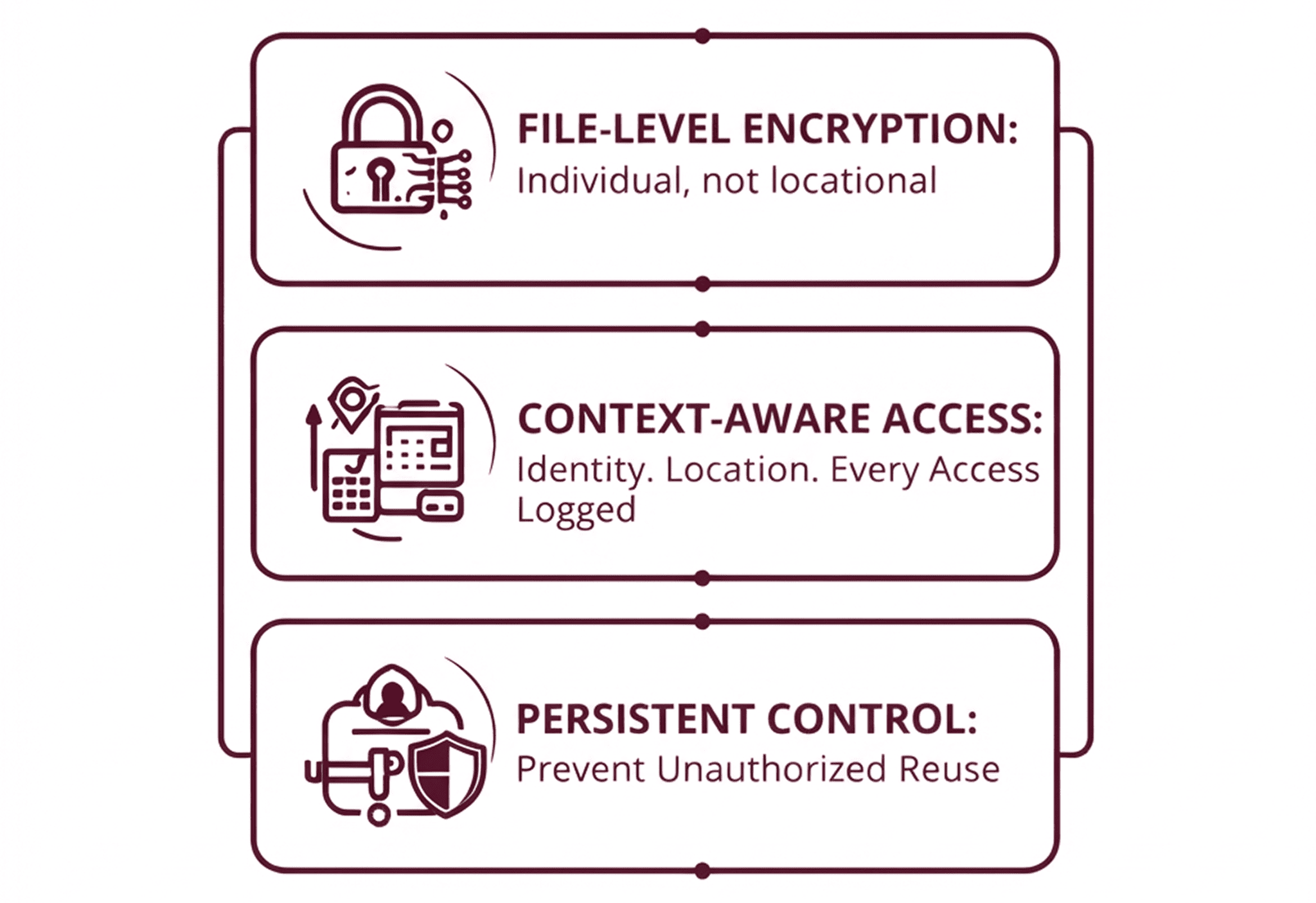
To manage EAR-controlled data safely, organizations need to:
- Encrypt files individually, not just storage locations
- Enforce access policies based on identity, location, and device trust
- Maintain immutable access logs
- Prevent unauthorized reuse, even after files leave approved systems
This is why compliance teams increasingly favor persistent, data-centric security, where protection remains attached to the file wherever it goes.
Incident Response Under EAR
A data breach involving EAR-controlled data creates two incidents:
- A cybersecurity incident
- A regulatory incident
Your incident response plan must include:
- Immediate identification of exposed controlled data
- Notification of legal/compliance teams
- Documentation for potential self-disclosure
Failing to treat EAR exposure as a compliance event can multiply penalties.
Engineering Compliance into the Data Architecture
Effective EAR compliance isn’t about total lockdown; it’s about high-fidelity visibility and intelligent access control. When security teams align their technical architecture with export regulations, compliance becomes a seamless, automated output of your existing workflows rather than a manual disruption.
By leading with a data-centric security model, you move beyond mere regulatory alignment. You are building a sustainable business standard, a resilient infrastructure that protects your intellectual property while providing the agility to scale securely across any cloud, any team, and any border.
🔒 Build a Modern Export Control Strategy
Ready to move beyond the perimeter? See how our data-centric security model solves the ITAR vs EAR challenge for remote employees.
FAQ: EAR Compliance for Cloud Storage & Remote Work
Is storing data in the cloud considered an export under EAR?
Not necessarily. According to cloud computing export regulations, storing or transmitting data is not considered an export if it is encrypted end-to-end using FIPS-validated cryptography and the keys are not held by the cloud provider or any third party.
How do I prevent "Deemed Exports" with my remote team?
You must implement access controls that verify the nationality and location of a remote employee before they can decrypt a file. This is often achieved through file-level security that integrates with your HR system to validate user attributes in real-time.
Who is responsible if a cloud provider has a breach involving my EAR data?
Under the EAR "Shared Responsibility Model," the customer is always considered the exporter. You are responsible for ensuring that the data is properly classified, encrypted, and restricted before it is uploaded to the cloud.
What is the "Safe Harbor" for encrypted data in the cloud?
The EAR § 734.18(a)(5) safe harbor allows you to store or transfer controlled data without it being defined as an "export," provided it remains encrypted between the originator and the recipient and is not intentionally stored in a restricted country (Country Group D:5).